Split expenses
the way that
works for you.

Equal, by percentage, by exact amount, or item by item off the receipt. Save the splits you use every week so nobody has to do the math again.

Free on iOS & Android

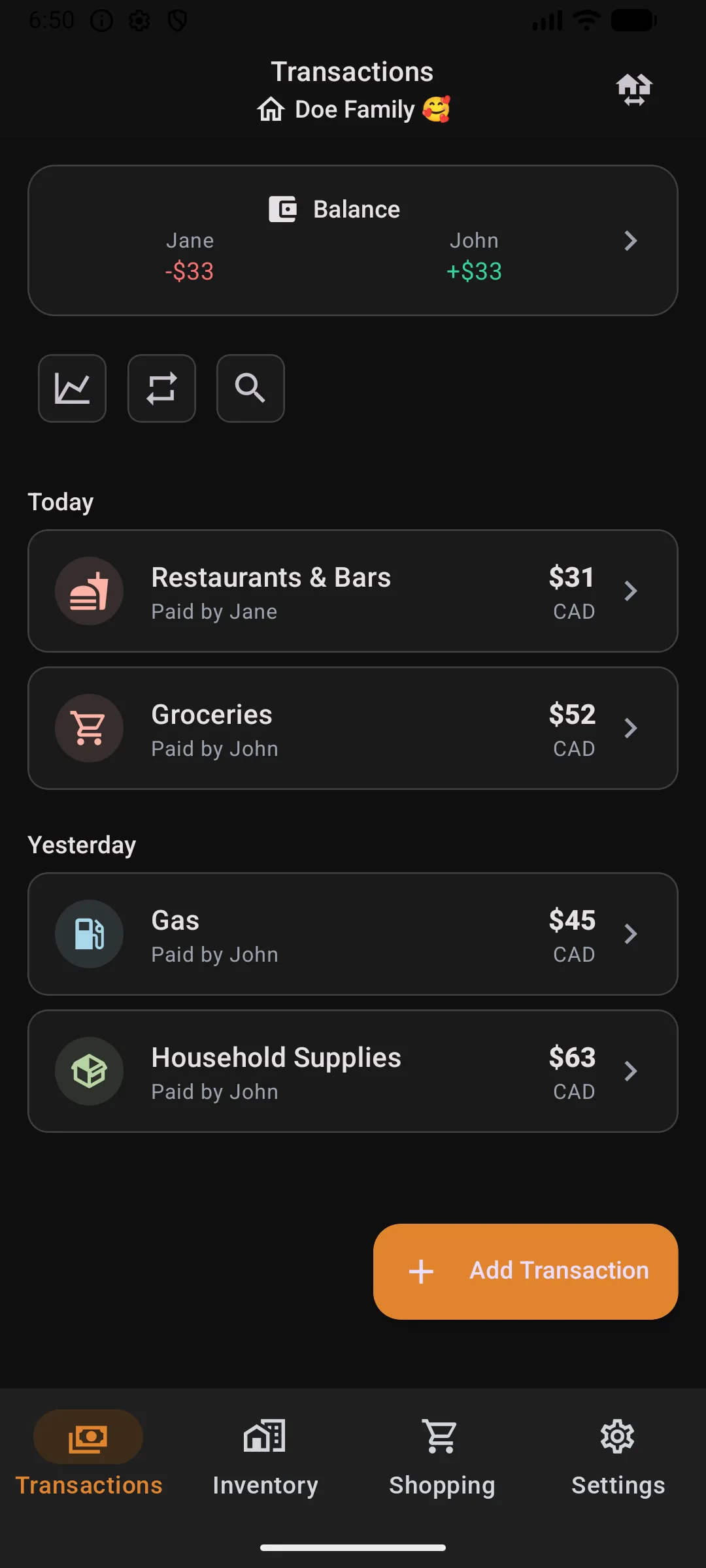
ShareBills expense splitting app showing group balances and transactions on a smartphone
Jane owes John
CA$33 Mark as paid
Set it once

Pin a split to a category. Pick the category, the split is already there.

Groceries 40/40/20. Rent 45/45/10. Car 70/30. Save them per group and every future transaction fills itself in — try a category:

All splitting features
Add transaction
Groceries
Doe Family 🥰 · monthly
CA$182.40
CAD
Preset applied Groceries 40/40/20
J Jane 40% CA$72.96
Jo John 40% CA$72.96
M Maya 20% CA$36.48
Pinned splits apply automatically.

Shop together, split expenses and track shared belongings

Unique to ShareBills
01

Everyone adds to the list

Bread, milk and your patio set all get categorised, assigned, due-dated. Whoever's near the store picks it up.
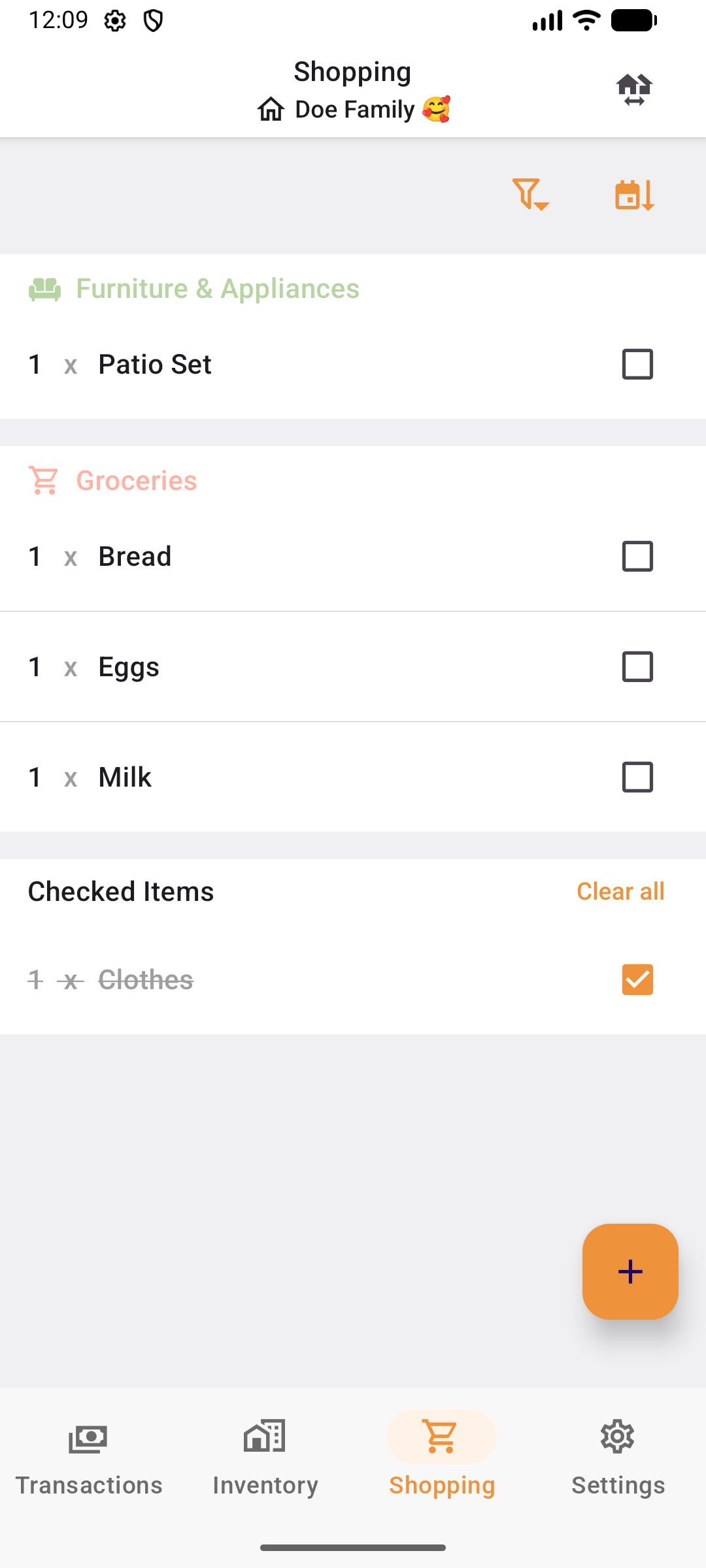
ShareBills shared shopping list with items assigned to group members
02

The receipt does the entry

Scan it: the expense is created, split by your pinned preset, and the matching list items tick themselves off.

03

The durable items get tracked

ShareBills offers to add the patio set to your home inventory with the photo, the price and the room.
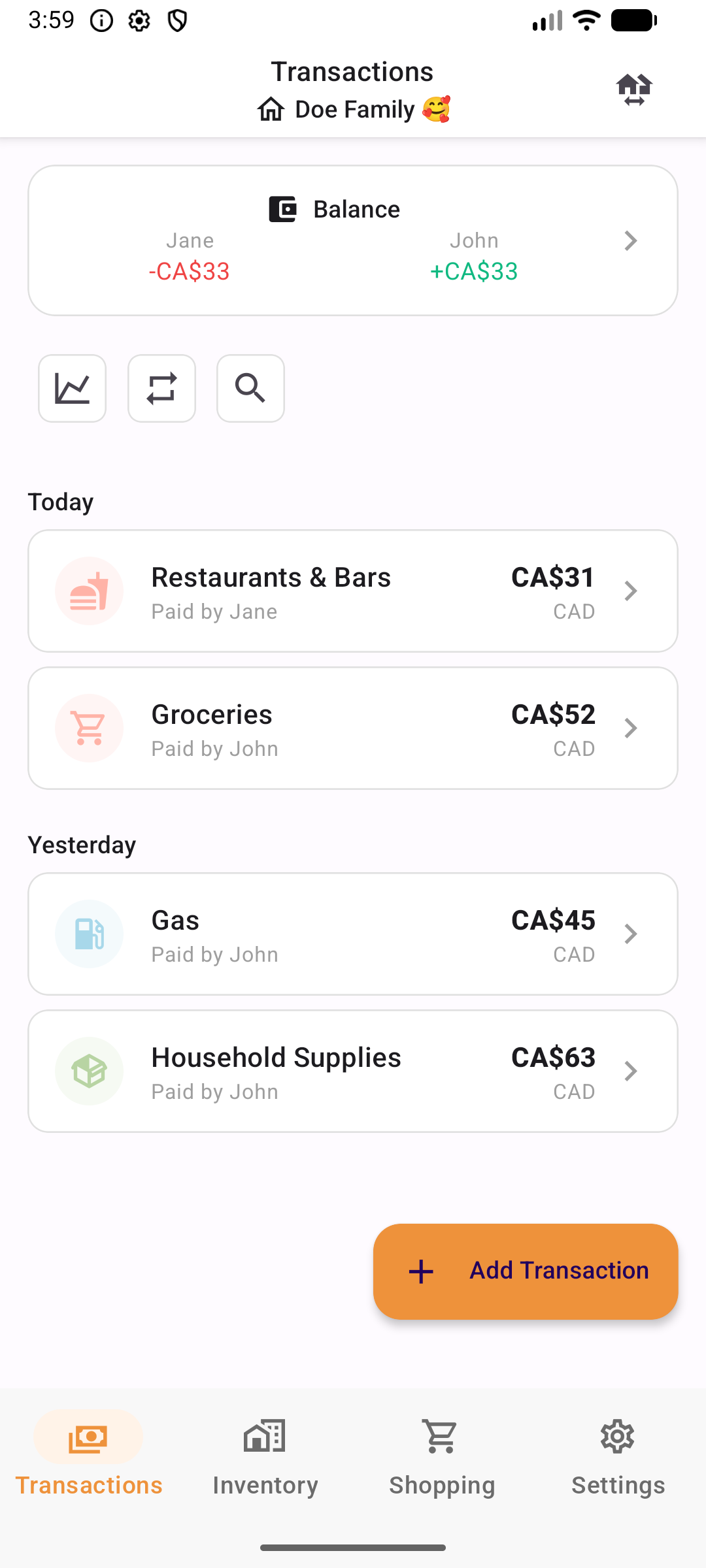
ShareBills transactions and balances screen showing who owes whom

Everything else in the app

Receipt scan

Merchant, date, tax, tip and line items all picked up automatically.

61+ currencies

Per-participant original amounts, converted automatically.

Recurring transactions

Rent, hydro and subscriptions post themselves on schedule.

Insights

Category and trend charts across the whole group.

Guest mode

Invite by link or QR code. A name is all anyone needs.

Room scan

Photograph a room, get your furniture detected into inventory.

Pricing

Start free, upgrade when you need more

ShareBills is free to download and use. Upgrade to Premium for 10x higher limits.

Free

Everything you need to start splitting

  • No ads
  • Up to 4 expense groups
  • 5 receipt scans / month
  • 5 item detections / month
  • 2 recurring transactions per group
  • 3 split presets per group
  • Multi-currency support
  • Search expenses
  • Spending analytics & insights

Prices may vary by country. To see the exact price, please check the app on your device.

Answers to your questions

What is ShareBills and how does it work?

ShareBills is a free expense-sharing app for iOS and Android that makes it easy to split costs with friends, family, roommates, and travel companions. Simply create a group, add expenses (manually or by scanning a receipt), choose how to split them, and ShareBills calculates who owes whom automatically. You can settle up with one tap when you're ready.

Is ShareBills free to use?

Yes. ShareBills is free to download and use, with no ads and no hidden fees. The free plan includes AI receipt scanning, multi-currency support, recurring transactions and spending analytics, with generous limits that cover most households. If you need more — additional expense groups and higher monthly AI scan limits — you can upgrade to Premium right inside the app. See our Terms of Use for fair use details.

Does everyone in my group need Premium?

No. One Premium member is enough: as soon as one person in a group has Premium, the whole group runs on the higher limits for transactions, recurring bills, split presets, stores and inventory, even if everybody else is on the free plan. The monthly AI scan and item detection quotas stay tied to each person, so those follow whoever owns the subscription. Premium is bought inside the app and can be cancelled anytime.

How can I share my expenses with my friends?

Create an expense group in the app and invite your friends to join using a shared link. Once everyone is in the group, any member can add transactions. ShareBills tracks all expenses and shows real-time balances so everyone knows exactly who owes whom.

What are the different ways to split expenses?

ShareBills offers four flexible splitting methods:

Equal split

Divide the total equally among all participants. For example, a $90 dinner with 3 people becomes $30 each.

Percentage split

Assign a custom percentage to each person. For instance, a couple can split a $100 grocery bill 60/40.

Exact amounts

Specify the exact dollar amount each person owes, useful when everyone ordered different items.

Split by item

Assign individual receipt line items to specific people. ShareBills uses AI to extract items from receipt photos, then lets you drag and drop each item to the person who ordered it.

How does AI receipt scanning work?

ShareBills uses AI-powered document intelligence to extract data from receipt photos. Simply take a photo of your receipt, and ShareBills automatically detects the merchant name, date, total amount, and individual line items. This information pre-fills the transaction form so you can add expenses in seconds instead of typing everything manually.

Does ShareBills support multiple currencies?

Yes, ShareBills supports multiple currencies including CAD, USD, EUR, GBP, and more. You can set a default currency for each group, and when you add an expense in a different currency, ShareBills handles the conversion automatically using up-to-date exchange rates.

Do I need to create an account to use ShareBills?

No, ShareBills offers a guest mode that lets you start using the app immediately without creating an account. If you want features like syncing across devices, you can sign up later using a simple email-based verification — no passwords required.

Is ShareBills a good alternative to Splitwise or Tricount?

ShareBills offers several advantages over Splitwise and Tricount: no daily expense caps (Splitwise has one), AI-powered receipt scanning, split-by-item functionality, built-in spending analytics, inventory management, and recurring transactions. Unlike Splitwise, ShareBills has no ads and no premium paywall for advanced features.

What is the best app to split bills with roommates?

ShareBills is designed for exactly this use case. You can create a roommate group, set up recurring transactions for rent and utilities, track shared grocery expenses with receipt scanning, and see at a glance who owes whom. The automatic settle-up calculation minimizes the number of payments needed between roommates.

Split it properly.
Starting with tonight's groceries.

Free on iOS and Android. No account needed to start.