
Point your phone at a receipt
ShareBills reads the merchant name, date, every line item and its price. The transaction form is pre-filled — just pick your split method.
- Extracts merchant, date, and amounts
- Reads individual line items with prices
- Auto-categorizes the transaction
Assign each item to whoever ordered it
You ordered the chicken, they got the salad. Assign individual line items to people, and split any unassigned remainder equally, by percentage, or by exact amounts. See it applied to splitting a restaurant bill fairly.
- Assign one or multiple people per item
- Shared items split evenly between assignees
- Remainder split by equal, percentage, or exact amounts
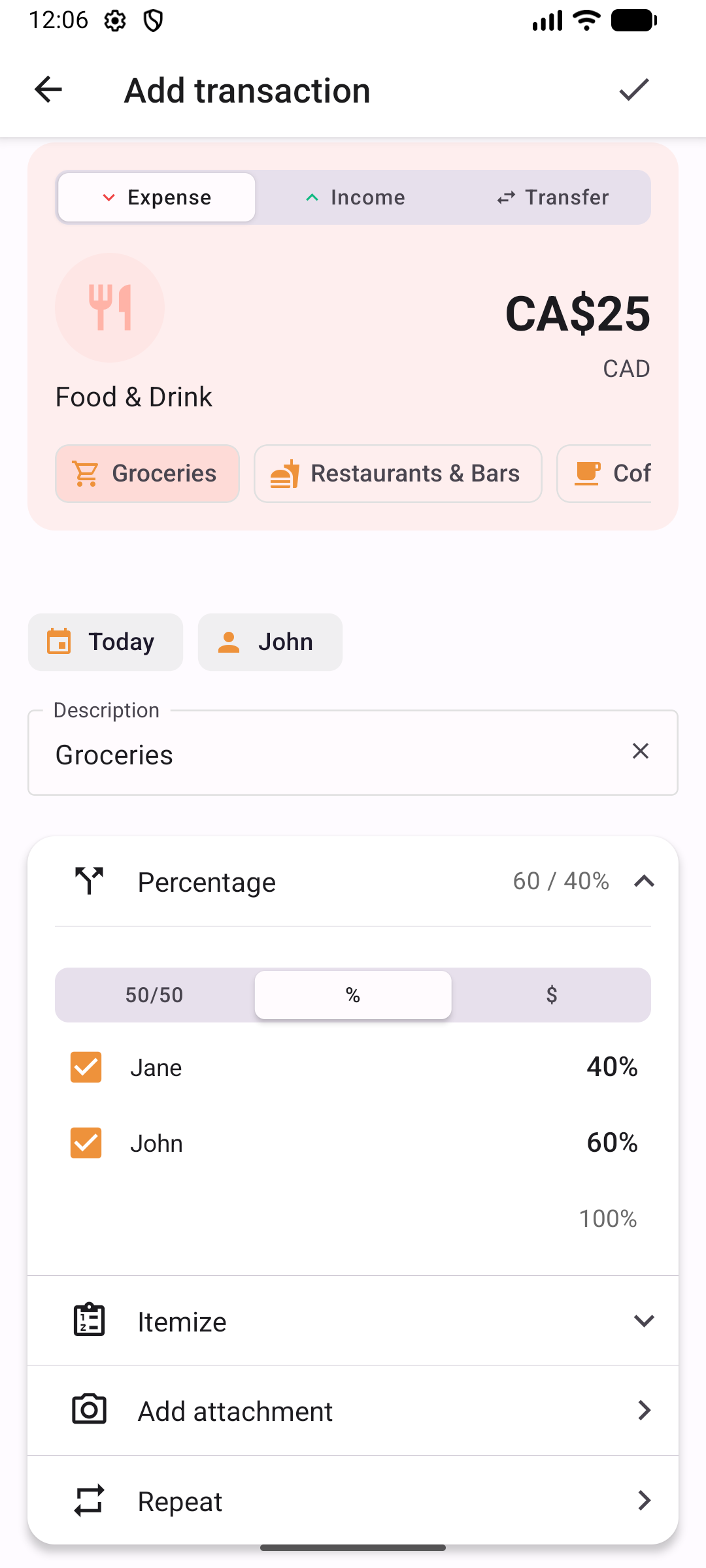
Equal, percentage, or exact amounts
For simple splits, pick the method that fits. Equal divides evenly. Percentage lets you set custom ratios. Exact amounts let each person specify their share.
- Equal splits with one tap
- Percentage splits — set 60/40 or any ratio
- Exact dollar amounts per person
- Save default split presets per group
Automate rent, subscriptions, and utilities
Set up a transaction once — ShareBills creates it on schedule. Choose weekly, every two weeks, monthly, or yearly.
- Weekly, biweekly, monthly, or yearly recurrence
- Keeps the same split method and participants
- Transactions generated automatically on schedule
See who owes whom at a glance
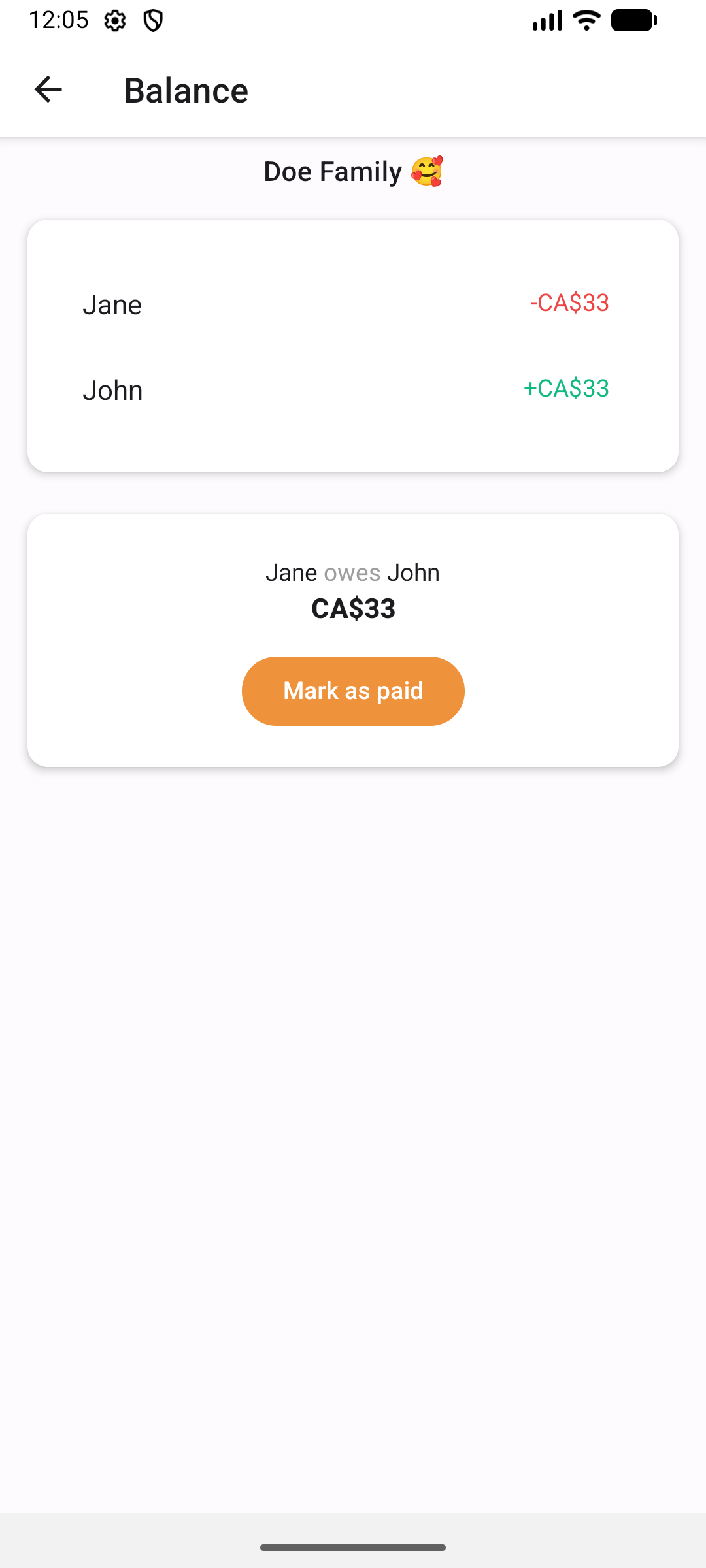
ShareBills calculates the simplest way to settle all debts within a group. Mark payments complete with one tap. The method is explained in how to settle group expenses in the fewest payments.
- Automatic balance calculation
- Minimized number of payments
- One-tap settlement
Ready to split smarter?
Download ShareBills free on iOS and Android, and start sharing expenses in minutes.